Have you ever lost important files because your computer crashed? Or wondered how to access your photos from a different device? If so, it may be time to get started with cloud storage. In this article, we explain everything you need to know, in plain language, with no technical jargon, so you can take this important step toward protecting your digital life with complete confidence.

Why Get Started with Cloud Storage Today
Most people store their files exclusively on their computer. Photos, documents, administrative papers, family videos, everything sits on a single device. The problem is simple: if that device breaks down, is stolen, or is accidentally damaged, everything disappears with it.
This is exactly why you should switch to cloud storage to protect your personal data. The cloud acts as a secure backup that exists independently of your computer. Your files stay safe, even if the worst happens.
Beyond protection, switching to cloud storage will also give you real freedom. Your documents and photos become accessible from any device, such as your computer, your tablet, or your smartphone, whether you are at home or traveling.
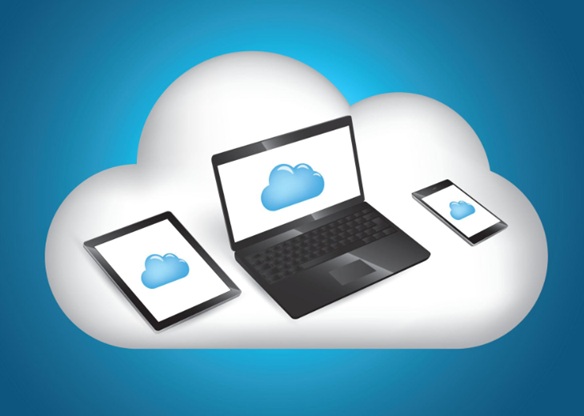
As Microsoft explains on its official support page, cloud storage allows you to store your files securely online and access them from virtually anywhere.
What Is Cloud Storage Exactly?
Before you get started with cloud storage, it helps to understand what it actually is.
Imagine a room filled with ultra-secure and very powerful computers. These computers are called servers, and you access them seamlessly whenever you use your cloud. When you save a file to the cloud, you are placing it on these computers, protected, organized, and accessible at any time from any device connected to the internet.
You do not need to understand the technical details of how it works to benefit from it. What matters is the result: your files are safe, backed up automatically, and always within reach.
Getting started with cloud storage does not mean replacing your computer. It simply means adding an extra layer of protection and convenience to the way you already manage your files.
The Main Benefits When You Get Started with Cloud Storage
Once you get started with cloud storage, you will quickly realize how much it simplifies daily life, especially for seniors and beginners who want peace of mind without complexity.
Here are the main benefits:
- Protection against loss: if your computer breaks down, your files are safe in the cloud and can be recovered on any other device.
- Automatic backup: many cloud services can save your files automatically, without you having to do anything.
- Access from anywhere: whether you are at home, at a family member’s house, or on vacation, your photos and documents are always available.
- Easy sharing: you can share a photo or a document with a loved one in just a few clicks, without sending large email attachments.
- Free storage available: most popular services offer a generous amount of free storage, more than enough for most beginners.
These benefits are precisely why so many people choose to get started with cloud storage as one of their first steps toward a safer and more organized digital life.
Popular Services to Get Started with Cloud Storage
When it comes to getting started with cloud storage, you do not need to look far. Two services stand out as the most accessible and trusted options for beginners and seniors:
Microsoft OneDrive is directly integrated into Windows 11, which means it is already present on most modern computers. It is a natural first choice for anyone who uses a Windows computer daily.
Google Drive is another excellent option, particularly for those who already use Gmail or an Android smartphone. It works seamlessly across all devices and platforms.
Both services are reliable, widely used, and designed to be as simple as possible for first-time users. Choosing between them depends on the devices you already use and your personal habits.
Our printable guide walks you through choosing one of these two services. This document is specially designed for computer beginners, with screenshots to help ensure clear understanding.
Available for instant download for $9.99. [Get the guide on Gumroad]
For Seniors : Get Started with Cloud Storage at Your Own Pace
If you are a senior and the idea of cloud storage feels overwhelming, you are not alone. Many people who are new to technology feel hesitant about storing their personal files somewhere they cannot physically see or touch.
Additionally, a common concern is privacy: do your documents really stay private?
Rest assured, your cloud space works like a digital safe. You are the only person who holds the key. Neither other users nor strangers can access your photos or documents: they are protected and remain completely confidential.
The good news is that once you get started with cloud storage, most of the process is automatic. You set up the options once, and the cloud takes care of the rest. It protects your files without requiring you to do anything on a daily basis.
Getting started with cloud storage is one of those essential steps to secure your photos, videos, and important documents. Once you start using it, it quickly becomes second nature.
For Caregivers : Help Your Loved One Get Started with Cloud Storage
If you are helping an elderly parent or loved one manage their digital life, encouraging them to get started with cloud storage is one of the best things you can do for their peace of mind and yours.
How many times have you worried about them losing precious family photos or important documents because of a computer problem? Cloud storage eliminates that risk entirely.
The goal, as always, is not to do everything for them. It is to set things up together once, and then let them manage their files independently, knowing that everything is safely backed up no matter what happens.
Our printable guide is specially designed for this kind of handover: clear instructions, readable text, and screenshots.
🔒 Digital Safety guide: Create a strong password & Master the Cloud
Cloud Storage and Password Security : A Natural Combination
If you want to be completely secure on your PC, the cloud alone is not enough. Your online space is like a safe: the cloud provides the vault, but your password is the key. If that key is easy to guess, your documents remain vulnerable.
That is why, before you get started with cloud storage, it is essential to begin with a strong password.
To help you lock down your access effectively, we have created a simple and practical guide dedicated to creating robust passwords. We recommend reading it before setting up your cloud: it is the very first step to browsing with peace of mind.
Conclusion
Whether you are a beginner, a senior taking your first steps into the digital world, or a caregiver looking for simple ways to protect a loved one’s precious memories, it has never been easier to get started with cloud storage for a reliable and accessible solution.
Your photos, documents, and important files deserve to be safe, not just on a single device that could fail at any moment, but securely backed up and always within reach.
Our printable guide will help you choose your cloud storage. You will be guided with screenshots for every action and simple explanations throughout the document.
🔒 Digital Safety guide: Create a strong password & Master the Cloud