
For most beginners, the computer is intimidating. In addition to being a complex and incomprehensible tool, it is completely impersonal.
But it doesn’t have to be this way.
Why not take your first steps in computing by learning how to change your wallpaper on Windows 11 and personalize your computer? Personalizing your PC isn’t just about making it look pretty. It is one of the most effective ways to build your confidence, reduce frustration, and discover that technology can truly work for you.
Why Learning to Use a Computer Is Worth It at Any Age
There is a common belief that technology is for younger generations, that learning new digital skills after a certain age is too difficult or simply not worth the effort. That belief is wrong.
Learning to use a computer, even starting completely from scratch, opens doors that simply do not exist otherwise. It is about reclaiming your independence and staying connected to the world around you. Think of video calls with family members who live far away, where you can see your grandchildren grow up in real time. Consider the convenience of online banking from the comfort of home, or having direct access to vital health information without needing to travel.
For many people, especially those who live alone or act as caregivers, these digital tools are not luxuries. They are genuine lifelines. They allow you to stay connected with friends, find new recipes, plan trips, and read the news whenever you want.
The good news is that none of this requires a technical background or complex training. You do not need to master complicated software right away. You can start with small, rewarding steps. For instance, when you learn how to change your wallpaper on Windows 11, you realize that you can modify this tool to fit your needs. It requires only curiosity, a willingness to try, and the right guide to accompany you one step at a time.
From Intimidation to Confidence — One Step at a Time
Many beginners describe their first experiences with a computer in the same way: confusing, incomprehensible, and slightly intimidating. The screen is full of things they don’t know and don’t understand the purpose of. Clicking in the wrong place seems to cause problems. Nothing feels intuitive.
This feeling is completely normal and it is not impossible to overcome.
The key is to start with something simple, something that produces an immediate and visible result. Something personal, something pleasant, something that says: “I did this, and I like what I see.”
That is exactly where desktop customization comes in, and the easiest way to start is to change your wallpaper on Windows 11.
Change your Wallpaper on Windows 11 — A Simple First Step Toward Ownership
Change your wallpaper on Windows 11 is a simple and enjoyable way to make your computer your own. Changing your wallpaper takes less than two minutes and requires no technical skills. Yet, the result is immediate and meaningful.
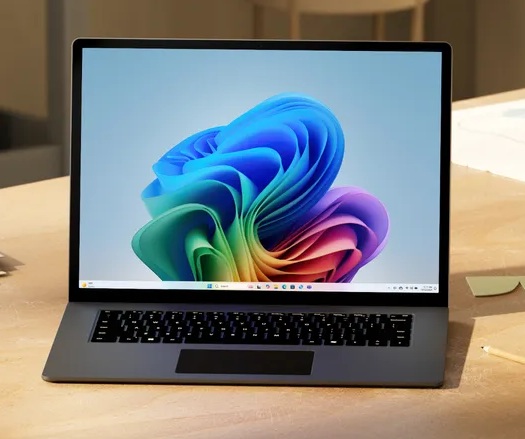
Choose a soothing landscape that calms you down when you sit down to work. A photo of your grandchildren that makes you smile every time you open your laptop. A motivating image that sets the tone for your day. Whatever you choose, you are no longer looking at a generic screen that could belong to anyone. You are looking at your screen.
This small act to change your wallpaper on Windows 11 has a bigger impact than it seems. It can be a first victory! You see that you can achieve something visible on your computer, that you can control this machine. You can make decisions about how it looks and how it works.
What Personalization Really Unlocks
Once you change your wallpaper on Windows 11, something shifts. The computer feels a little less foreign. A little more accessible. And that sense of accessibility is exactly what makes the next step easier.
After you learn to change your wallpaper on Windows 11, the next natural step is to explore the overall theme. This allows you to adjust the color palette and visual style of your computer to make it even more comfortable for your eyes. From there, you can easily customize the taskbar, the bar at the bottom of your screen, to give you quick access to the applications you use most, or personalize your user account with your own profile picture.
Each of these changes is small on its own. But together, they add up to something meaningful: a computer that reflects who you are and how you work. A computer you know how to navigate because you made the choices. A computer you are no longer afraid of, because you have already proven to yourself that you can change it.
This is what it means to truly own your technology, not just use it.
Autonomy Is the Real Goal
The ultimate benefit of learning how to change your wallpaper on Windows 11 and personalize your computer is not just a nicer-looking screen. It is autonomy.
Autonomy means not having to wait for a family member to help you every time something needs to be adjusted. When you know how to change your wallpaper on Windows 11, you realize you can look something up yourself, send a message yourself, and manage your own files and settings. It means technology that serves you rather than confuses you.
And it is available to everyone, regardless of age, background, or previous experience with computers. All it takes is a guide that meets you where you are, explains every step clearly, and never assumes you already know something you do not.
Ready to Make Your Computer Yours?
Our Windows 11 guide for beginners and seniors was designed with exactly this in mind. Starting from the very basics and building step by step, it covers everything from how to change your wallpaper on Windows 11 and personalize your theme to managing user accounts and customizing your taskbar.
Large text. Real screenshots. Nothing assumed. No steps skipped.
If you are ready to go from feeling lost in front of your screen to feeling at home, this is where to start.
Get the Windows 11 Guide for Beginners and Seniors — $19.99 on Gumroad.